Labelling guide
When does an image need a label?
Four kinds of images, four answers. This guide shows which images in your store need an AI label under the EU AI Act – and which official icon to use.
The rule
The rule in one sentence
If an image was generated or manipulated with AI and could appear authentic to the viewer, you must disclose that it is AI content.
Art. 50(4) EU AI Act · applies since 2 August 2026
Four cases
Which case is your image?
These are the four answers of the Visibl decision assistant – and what follows from each.
- Photo01
Real photo
No label needed
Taken with a camera, at most with classic edits like cropping, exposure or colour correction. No AI content, no obligation.
Example: Studio shot of your product, colour-corrected in Lightroom.
- AI-edited
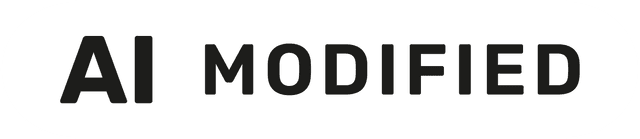 02
Real photo, edited with AI
Label: AI modified
A real photo in which AI changed or added content – a new background, removed objects, an added model. If the edit changes what the image shows, label it “AI modified”. Minor touch-ups that don’t change the content usually don’t need a label.
Example: Product photo with an AI-generated beach background.
- AI-generated
 03
AI image that looks like a real photo
Label: AI generated
Created entirely with AI and could pass for a real photo. This is exactly the case Art. 50(4) is about: label it “AI generated”.
Example: Photorealistic lifestyle scene from an image generator.
- Illustrationoptional04
AI image that is obviously not real
Usually no obligation
Nobody would mistake it for a photo – clearly illustrated, stylised or fantastical. Art. 50(4) covers content that appears authentic, so there is usually no obligation. A voluntary label still builds trust.
Example: Comic-style illustration or abstract artwork.
The official icons
Which icon for which case?


Placement
How to show the label
Visible at first glance
The label has to be clear and distinguishable at the latest when the image is first seen – not hidden in alt text or the footer.
Readable on every device
Check desktop and mobile: the label must stay legible at small sizes and on busy backgrounds.
Wherever the image goes
Using the image on social media, in ads or feeds? Burn the label into the file so it travels with the image.
Document your decision
Keep a record of why you labelled an image – or why not. It’s your proof if anyone asks.
With Visibl
One question per image. Visibl does the rest.
The decision assistant asks exactly this question with these four answers. If the image metadata reveals an AI generator, the answer is already pre-selected – you confirm, Visibl adds the right label and logs your decision.
Decision assistant
How was this image created?
Pre-selected from image metadata (C2PA)
- Real photo
- Real photo, edited with AI
- AI image that looks like a real photo
- AI image that is obviously not real
This guide summarises the requirements in simplified form and does not replace legal advice for your individual case.
Start with Visibl for free.
The Free plan includes the image library, decision assistant and label editor. No time limit, installed in minutes.