Skip to content
Visibl – home

Features

Labelling without detours.

From the first assessment to the proof for an audit: Visibl takes every image in your store through the whole process, right in your Shopify admin and without code.

All features

All plans

Image library

Every image in your store in one place: not just product photos, but also collections, hero banners, blog posts and pages.

  • Search by file name and location
  • Filter by status and image type
  • Usage tracking: where each image appears in your store

All plans

Decision assistant

One question with four answers in plain language guides you to the right assessment. Visibl checks the image metadata in the background: if it finds signals from an AI image generator (such as C2PA or IPTC data), the matching answer is pre-selected and you only need to confirm it.

How was this image created?

Pre-selected from image metadata (C2PA)

  • Real photo
  • Real photo, edited with AI
  • AI image that looks like a real photo
  • AI image that is obviously not real
  • One question, four answers – no legal text
  • Automatic pre-selection from image metadata (C2PA, IPTC)
  • You confirm, Visibl logs the reasoning
All plans

Label editor

Design your label with the official EU icons. Visibl picks the right contrast automatically, so your label stays legible on every image.

Live preview

Simplified illustration – the app interface may differ.

  • AI generated, dark
  • AI generated, light
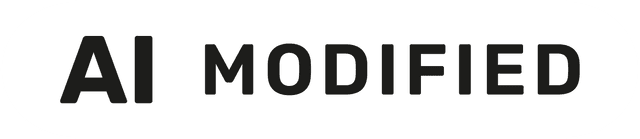
  • AI modified, dark
  • AI modified, light

Desktop MobilePreview before saving

  • Official EU icons “AI generated” and “AI modified”
  • Free choice of size and position
  • Automatic contrast
  • Desktop and mobile preview

Two ways to label

Overlay or burn-in

Two ways to label: as a flexible overlay that leaves your original image untouched, or burned into the image file permanently – so the label stays visible on social media, in ads, Google Shopping feeds and on marketplaces. With backup and one-click restore.

Labelling AI images for social media, ads or external channels?

Burn-in embeds the EU label directly into the image file. Wherever you publish the image – Instagram, Meta Ads, TikTok, Google Shopping feeds, marketplaces or ad campaigns – the label travels with it.

Separate layer

Overlay

All plans

Flexible and changeable at any time

  • The label sits on top of the image; your original file stays unchanged
  • No layout shift in your theme
  • Position, size and variant can be adjusted at any time
Part of the image file

Burn-in

From Basic

Permanently in the image file – on every channel

  • The label is written into the image file
  • Stays visible on Instagram, Meta Ads, TikTok, Google Shopping and marketplaces
  • Automatic backup, one-click restore

Features for large catalogues

From Pro

Bulk editing

Label many images in one go and download the results as a ZIP file. Ideal for large catalogues and campaigns.

  • Multi-select in the image library
  • One label for many images
  • Labelled images as ZIP download
From Pro

Complete audit log

Every decision and every label is recorded in a tamper-proof log. With CSV export, you have your proof ready for any audit.

  • Tamper-proof entries with timestamps
  • Who, what, when, why
  • CSV export for audits

Start with Visibl for free.

The Free plan includes the image library, decision assistant and label editor. No time limit, installed in minutes.